Product
Introducing Dench Notetaker
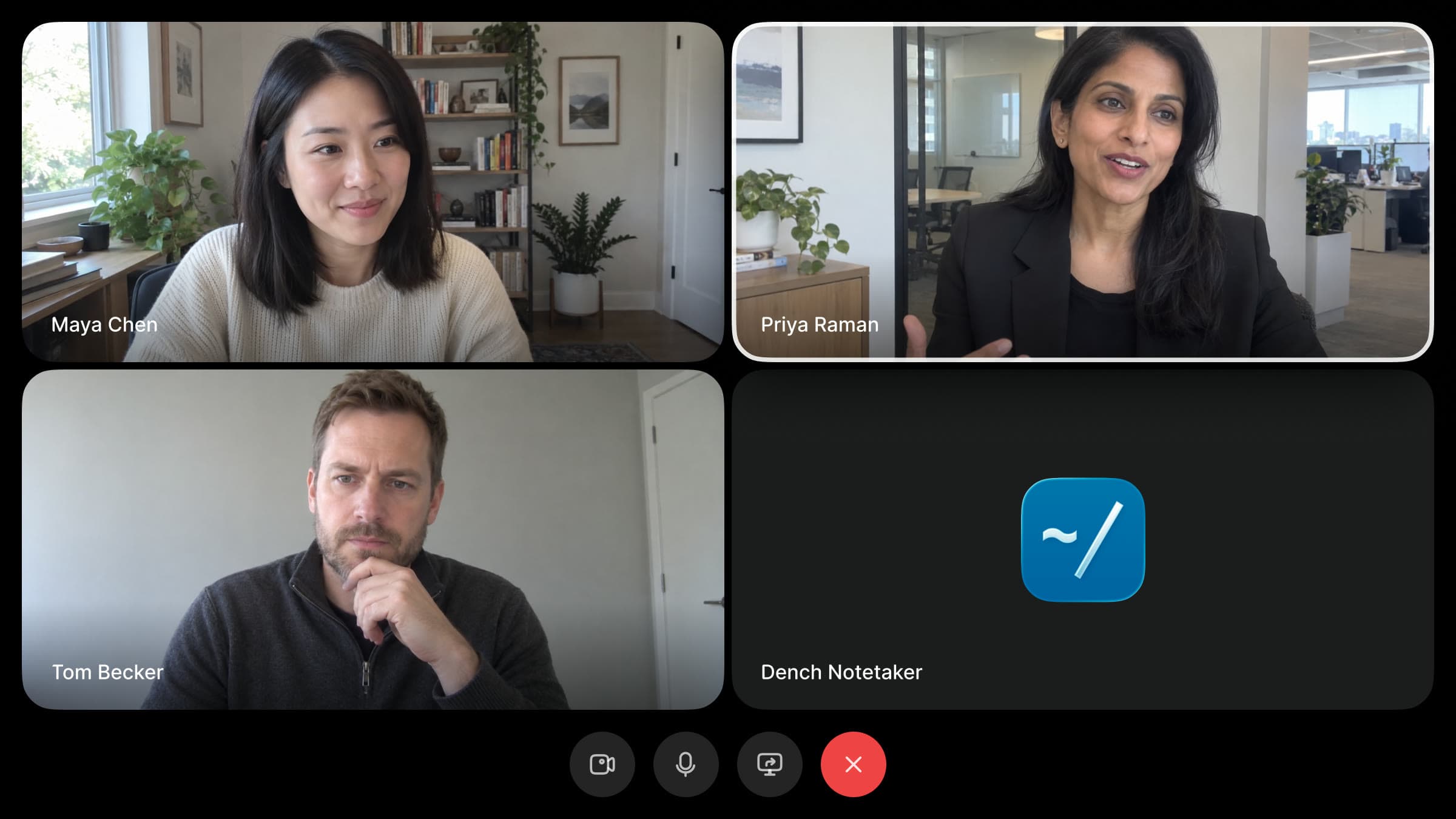
Dench Notetaker joins your calls, knows who's speaking, and turns each conversation into a brief, action items and CRM updates you approve.
The part after the call#
A good call produces a lot. A decision, a date, a number someone mentioned once, a question nobody got to. Most of it is gone by the next meeting.
Writing it down is supposed to fix that. In practice the notes get written in the gap between two other calls, from memory, a day later than you meant to, and your CRM never hears about it. The specifics that made the call worth having are the first thing to slip.
We wanted the part after the call to take care of itself. So we gave Dench a seat in the meeting.
What's waiting when you hang up#
When the call ends, the meeting shows up in Meetings with everything Dench picked up.
A brief of the whole call#
The brief opens with the outcome, then the decisions, next actions and open questions. Each line carries a timestamp. Click one and the recording jumps to that moment, so you never scrub through forty minutes to find who said what.

Action items with owners#
Every "I'll take that" becomes a checklist item with a name next to it. Tick them off as they get done. If the brief is written again, anything you ticked or typed yourself stays put.
CRM updates, ready to apply#
If someone mentions a new timeline, a budget or a change of role, Dench suggests the update on the right record and shows the line it came from. Nothing changes in your CRM until you apply it, and an applied change can be undone.
The recording, with a live transcript#
The recording plays next to a transcript split by speaker. The word being spoken lights up as it plays, and you can pop the player out to keep listening while you work in the rest of Dench.
It knows who's speaking#
Dench Notetaker knows who said what. Every line in the transcript belongs to the right person, and everyone on the invite is matched to the people and companies already in your workspace. Anyone new is added as a person, so each quote, task and update lands on the right record.

Then it reads what you already know: what each record says and the tasks still open against it. So a suggested update changes the record you have instead of creating a second one, and an open task gets sharpened instead of duplicated.

Set it up#
It takes a few clicks. Here's the whole path, from an empty calendar to your first brief.
1. Connect your calendar#
Open Meetings and click Connect next to Google Calendar or Outlook. Dench reads your upcoming events to know which calls to join.

2. Turn on the Notetaker#
A workspace admin opens Settings, then Notetaker, and switches on Record meetings. Join every meeting is on by default, so Dench joins any event with a Zoom, Google Meet or Microsoft Teams link. You can still skip a single meeting from your list.

3. Have your call#
Dench joins as a participant and posts a note in the meeting chat so everyone knows it's recording. For a call that isn't on your calendar, click New meeting and paste the link.

4. Read the brief#
Open the meeting when it's done. The brief, action items and recording are waiting, and any timestamp plays that moment of the call.
5. Apply the CRM updates#
Open CRM updates and check each suggestion against the quote it came from. Click Apply to keep it or Dismiss to drop it. Applied changes can be undone.

Everything points back to the call#
Notes written by software are only useful if you can check them, so nothing Dench writes stands on its own. Every line in the brief cites a timestamp, and every suggested update shows the line it came from. Click it and you hear it.
Nothing happens on its own, either. Dench never messages anyone from a call, and CRM updates wait for you to apply them.
Private until you share it#
A recording is private by default. Only you and the people on the invite can open it. You can share a single meeting with your workspace, and an admin can choose to share every new recording.

If you'd rather not keep video, the Notetaker can record audio only.
Try it#
Dench Notetaker is available today. Open Meetings, connect your calendar, and your next call will come with its brief already written.


