Product
Introducing Dench MCP
Dench is your company's GTM brain: your pipeline, leads, outreach and calls, in one place. Dench MCP brings that brain into the AI apps you already use. Claude, ChatGPT, Grok, Muse, Cursor, Claude Code, Codex and Gemini CLI can check your pipeline, update records and find new people to reach, without leaving the chat.
Where the work already happens#
A lot of the day now runs through an AI app. You write in Claude, build in Cursor, think out loud in ChatGPT. Then a question about a deal comes up, and you leave all of that to go find the answer.
The agent you were working with can't come along. It doesn't know the account, what was said on the last call, or what's still open. So we brought Dench to the agent.
Dench MCP is a remote server with a single address. Your AI app signs in to Dench once, and from then on it works in your workspace as you.
What you can ask#
Most of what you'd do in Dench, you can now ask for in plain words.
Check your pipeline#
Ask which deals haven't moved in two weeks, or for pipeline amount by stage. Your agent searches and totals your records and answers from what's in Dench.
Update records#
Add a note to the Acme deal, move it to the next stage, or create a new table with all its fields in one request. Every change is made as you, in the workspace you chose.
Find the right people#
Ask for heads of growth at fintech companies in New York, add them to Dench, then fill in their work emails. These searches run on Dench's people and company data and use credits, as they do in Dench.
Pick up from your calls and inbox#
Ask what Northwind said about pricing on your last call, or what Acme sent this week. Your agent can read meeting transcripts, action items and your inbox, so it starts from what was actually said.
Set it up#
There's nothing to install and no API key to copy. Every AI app connects to the same address and signs in with your Dench account.
1. Ask your AI app to add Dench#
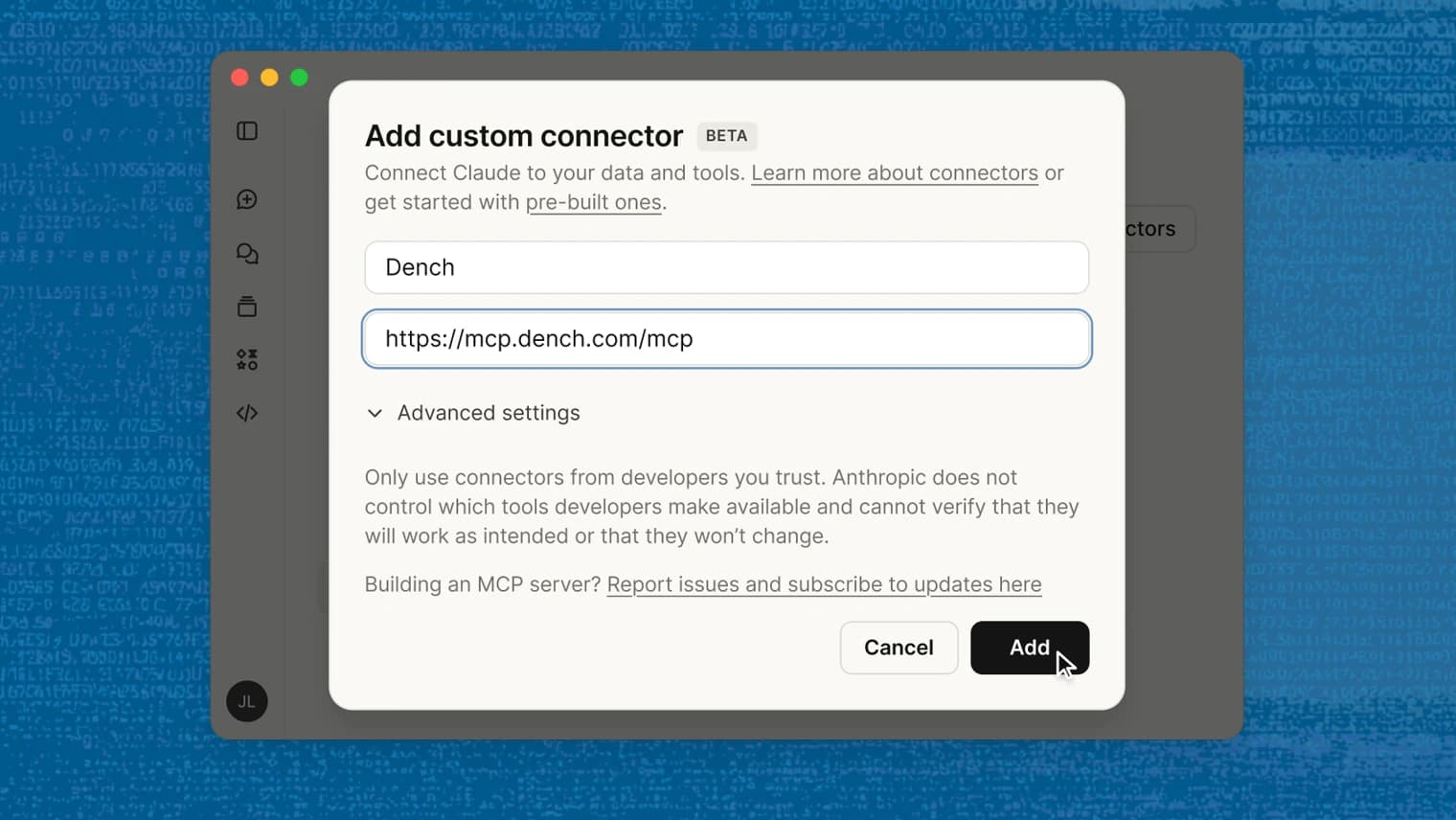
Paste this into Claude, ChatGPT, Grok, Muse, Cursor, Claude Code, Codex, Gemini CLI or any other AI app that supports MCP. It sets Dench up for you, or walks you through it where the app needs you to click.


2. Sign in and pick a workspace#
Your AI app opens Dench in your browser. Continue with Google, or enter your email and the code we send you. Pick the workspace the app should work in, and you land back in your AI app, connected.
3. Ask it something#
Start with something simple, like "What are my open tasks in Dench?"
Try it#
Dench MCP is available today. Add https://mcp.dench.com/mcp to any AI app that supports MCP, sign in, and ask about your pipeline.